

- What Is a Workplace Step Challenge?
- Why Run a Step Challenge at Work?
- How to Run a Workplace Step Challenge (Step-by-Step)
- Which Type of Step Challenge Is Right for Your Team?
- How Long Should a Workplace Step Challenge Be?
- How Do You Keep People Engaged?
- Common Mistakes to Avoid
- What Do You Need to Run One?
- Frequently Asked Questions
- Conclusion
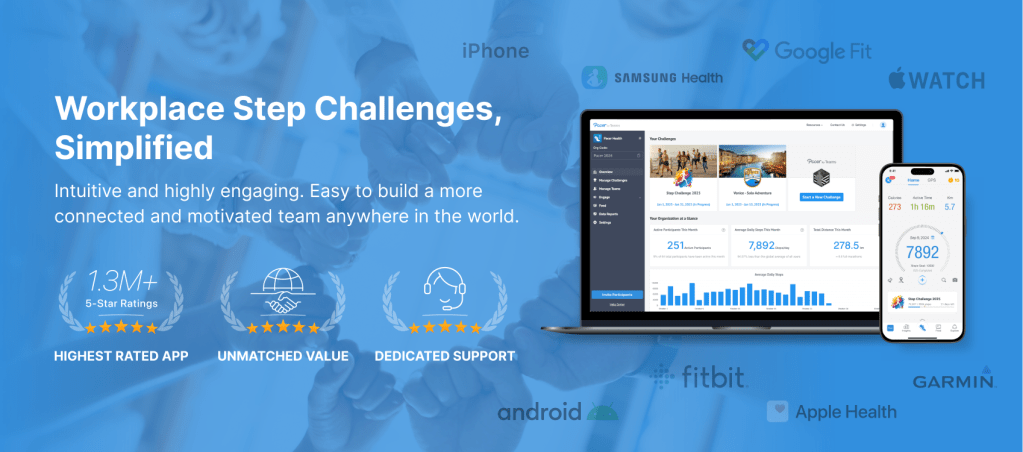
A workplace step challenge is a company-run program where employees track their daily steps to hit a shared goal. It usually runs 4 to 8 weeks, with people competing solo or in teams.
Most challenges lose people around week two, once the novelty wears off. The ones that don't tend to share a few specific choices: the right length, team-based scoring, automatic tracking, and rewards that reach past the top of the leaderboard. This guide walks through those choices. The patterns come from more than 18,000 challenges run across 5,500 organizations on Pacer for Teams.
- A workplace step challenge runs best over 4 to 8 weeks with team-based competition.
- Pick one clear goal: total steps, a daily average, or a virtual-distance destination.
- Make tracking automatic with a phone or wearable. Manual entry is the fastest way to lose people.
- Design rewards so everyone can win, with milestones and raffles that reach beyond the top stepper.
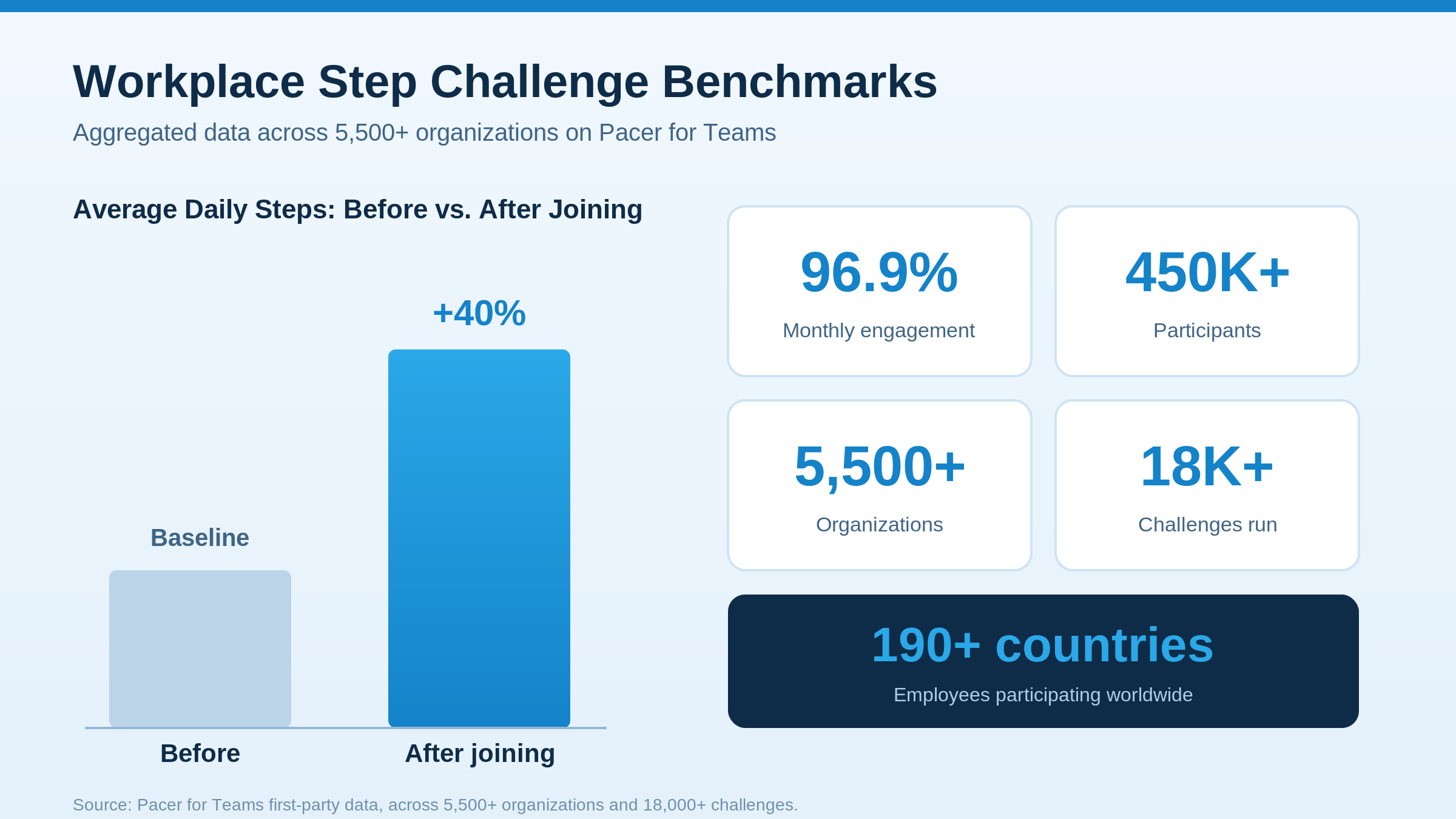
- Across 5,500+ organizations on Pacer, employees average 40% more steps after joining.
What Is a Workplace Step Challenge?
A workplace step challenge (also called an office step challenge, corporate step challenge, or team step challenge) is a friendly walking competition run inside a company. Employees count their daily steps over a fixed window, and individuals or teams race toward a shared target.
The format works because walking is something almost everyone can do, no gym or special skill required. Suddenly a solo walk is something you do with coworkers, and remote and in-office folks finally have a shared goal to chase. Adults benefit from at least 150 minutes of moderate activity a week, according to the CDC physical activity guidelines, and a step challenge is an easy on-ramp to that habit.

Why Run a Step Challenge at Work?
The benefits go beyond fitness. A challenge gives distributed teams a reason to talk to each other outside of work, and it's one of the cheapest wellness programs a company can run.
On Pacer, employees average 40% more steps after joining a challenge, and monthly engagement across participating companies could reach 96.9%. That isn't one lucky pilot: the figures come from more than 450,000 participants in over 190 countries, so they hold up across all company sizes and locations. That shows up at work too: sharper focus, steadier mood, the stuff that makes a Monday easier, as Harvard Health notes.
How to Run a Workplace Step Challenge (Step-by-Step)
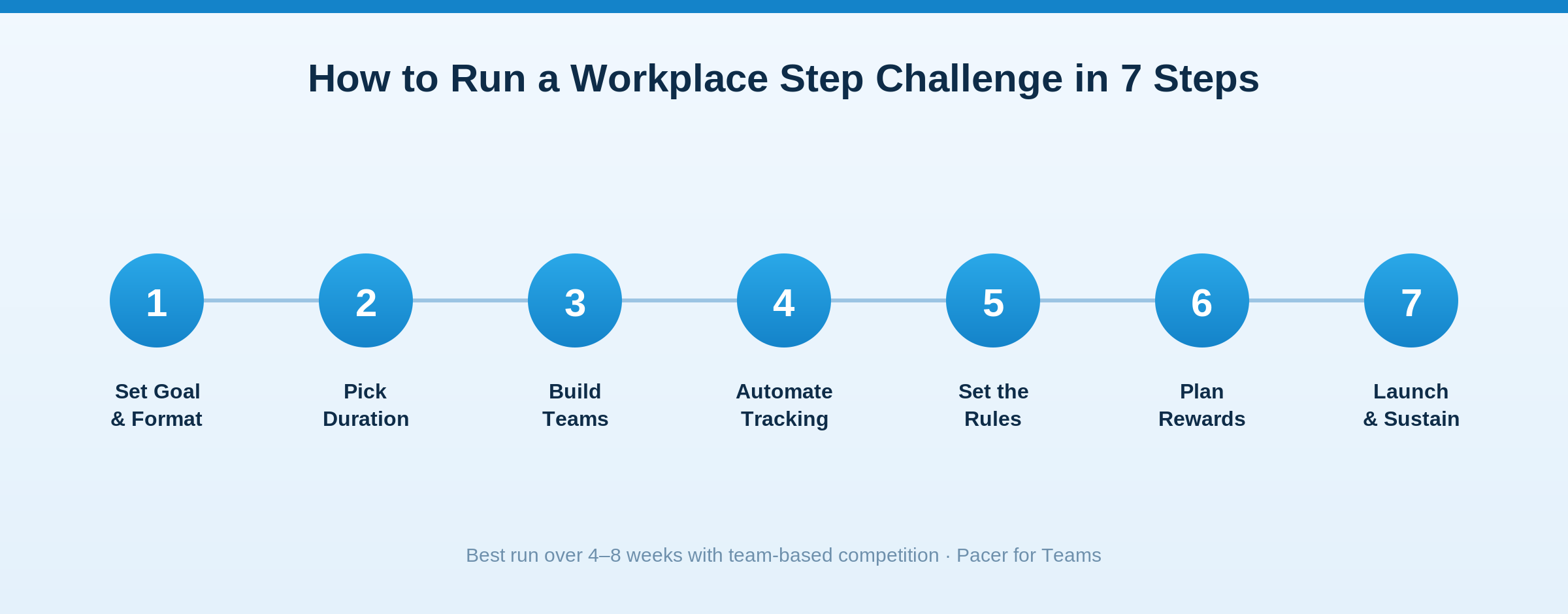
- Set your goal and format. Decide what winning looks like (total steps, a daily average, or a virtual-distance destination), then choose individual or team competition. Teams almost always drive more engagement.
- Pick the right duration. Four to eight weeks works best: long enough for a habit to form, short enough that people don't drift off before the finish. If it's your first, run four weeks.
- Build teams. Form manageable teams and mix departments or offices so the challenge doubles as a way to connect people. Give remote staff a way to join a team so no one is left out.
- Choose how you'll track steps. Let a phone or wearable count steps automatically. Ask people to type totals in by hand and most stop within a few days; auto-sync also keeps the leaderboard fair and current.
- Set the rules. Define start and end dates, what counts, how often steps sync, and how you'll handle ties. A simple cap on unrealistic daily totals keeps things fair.
- Plan rewards and recognition. Design rewards so everyone can win, with milestone badges, raffle entries, and team prizes that reach beyond the top stepper. Recognition matters as much as prizes.
- Launch and keep momentum. Kick off with a clear announcement, keep energy up with mid-challenge nudges and a live leaderboard, and celebrate the finish publicly to set up the next one.
Which Type of Step Challenge Is Right for Your Team?
Different teams thrive on different formats. Use this table to match the challenge type to your group.
| Challenge Type | Typical Duration | Goal | Best For |
|---|---|---|---|
| Individual leaderboard | 2 to 4 weeks | Most steps per person | Competitive, smaller teams |
| Team relay / total steps | 4 to 8 weeks | Combined team total | Cross-department bonding |
| Daily-average goal | 4 weeks | Hit a set number of steps per day | Inclusive, mixed fitness levels |
| Virtual adventure / distance | 4 to 8 weeks | Travel a virtual route together | Remote and distributed teams |
| Milestone / streak | Ongoing | Personal consistency | Long-term habit building |
If you're not sure, start with a team-based total-steps challenge over four to six weeks. It's forgiving of mixed fitness levels, and the team format is what keeps casual walkers involved once the early enthusiasm fades.
How Long Should a Workplace Step Challenge Be?
Four to eight weeks. Shorter challenges end before the habit sticks, and longer ones lose momentum as the novelty fades. A four-week challenge is ideal for a first attempt; once your team has one under its belt, you can stretch to six or eight weeks or run recurring seasonal challenges.
How Do You Keep People Engaged?
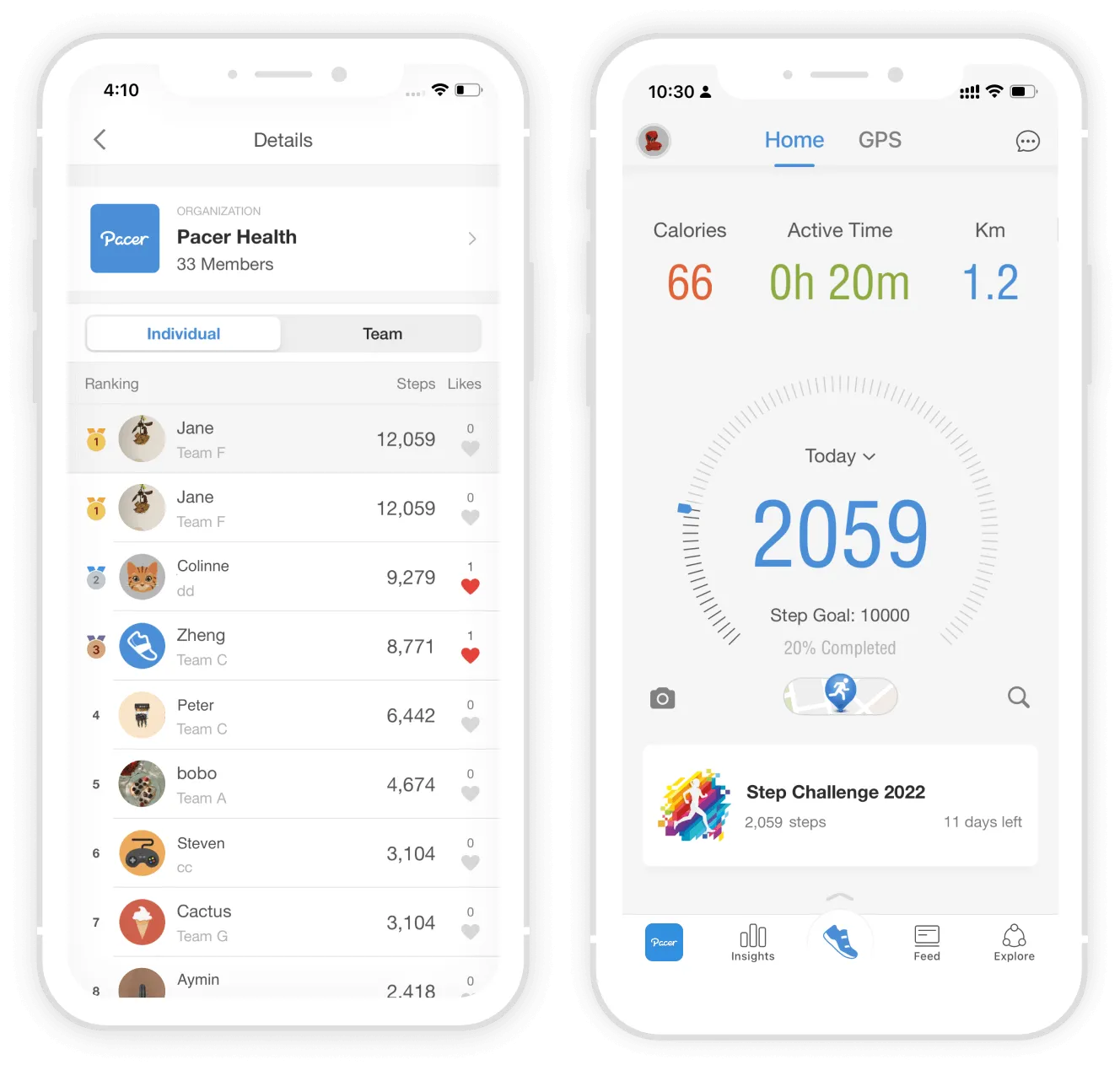
Keep people engaged with a live leaderboard, team chat, milestone nudges, and rewards that reach beyond the top steppers. Engagement is where most challenges are won or lost, and the 96.9% monthly engagement Pacer sees comes from the small social touches around the step goal. A live leaderboard gives people a reason to check in daily. Team chat turns solo walking into something people talk about. A nudge like "you're 500 steps from today's goal" is often all it takes to get someone off the couch.
Rewards matter most in the middle of the pack, where the people who won't win still need a reason to keep going. And when a manager or exec posts their own steps, participation tends to follow. It reads as permission to take the challenge seriously. In Pacer for Teams, the live tracking, leaderboards, and reminders run on their own, so whoever's organizing isn't rebuilding a spreadsheet every night.
A themed round also gives people something new to rally around; for specific formats, see our office step challenge ideas.
Common Mistakes to Avoid
Even a well-planned office or corporate step challenge can stall. These are the missteps that most often sink one, and how to avoid them.

- Relying on manual step entry. It's the fastest way to lose people. Hand-typed totals feel like a chore and invite disputes; automatic phone or wearable tracking keeps participation and trust high.
- Making it too long. Motivation fades once the novelty wears off, usually around week two. Keep it to 4 to 8 weeks and run a fresh challenge later rather than dragging a single one out for a quarter.
- Rewarding only the top stepper. If the same fitness enthusiast wins every time, everyone else checks out. Spread rewards with milestones, raffles, and most-improved recognition so the middle of the pack stays in.
- Setting an intimidating goal. A flat 10,000-steps-a-day target can discourage less-active employees on day one. A team total or a daily-average goal is more inclusive.
- Launching with no communication plan. A challenge announced once and never mentioned again goes quiet fast. Plan a kickoff, mid-challenge nudges, and a finish-line celebration up front.
- Leaving remote staff out. If the format only works for one office, hybrid and remote employees disengage. Use a virtual-distance or daily-average format so location doesn't matter.
Sidestep these and you keep engagement high. That's the difference between a challenge people finish and one that fizzles by week two.
What Do You Need to Run One?
At a minimum, you need a way for people to track steps and a way to see everyone's totals in one place. Your options run from fully DIY to fully managed:
- Spreadsheet + manual entry: free, but fragile; participation drops fast without automatic tracking.
- Free step-tracking apps: better, but you'll stitch together tracking, leaderboards, and comms yourself.
- A dedicated platform: automatic sync, live leaderboards, teams, and rewards in one place.
If you'd rather not build it yourself, workplace step challenge software like Pacer for Teams runs the whole thing (automatic tracking, real-time leaderboards, team management, and rewards) so you can launch in minutes instead of weeks.
Still choosing a platform? Our roundup of the 7 best step challenge apps for work compares pricing and features side by side.
Frequently Asked Questions
How much does a workplace step challenge cost per employee?
It varies. A DIY challenge using a spreadsheet and free apps can cost nothing but your time, while dedicated platforms typically charge a modest per-employee or per-challenge fee. Weigh the platform cost against the hours you'd spend managing tracking, leaderboards, and communications by hand. See Pacer for Teams pricing for exact per-employee costs.
Do employees need a Fitbit or wearable, or does a phone work?
A phone works. Most smartphones track steps automatically, so employees can join without buying anything. Wearables like a Fitbit or Apple Watch are a nice-to-have for accuracy, but they should never be a requirement, since that would exclude people and shrink your participation.
How many steps a day should the goal be?
A common target is 8,000 to 10,000 steps a day, but the right number depends on your team. Setting a daily average goal rather than a raw step race keeps the challenge inclusive for people at different fitness levels.
How do you run a step challenge for remote or hybrid teams?
Use automatic phone or wearable tracking and a virtual-distance or daily-average format so location doesn't matter. Make sure remote staff can join a team, and lean on a live leaderboard and team chat to create the connection that in-office employees get naturally.
Are workplace step challenges effective?
Yes, when they're run well. On Pacer, employees average 40% more steps after joining a challenge, and monthly engagement across participating organizations sits at 96.9%. The gains come from three things working together: a clear goal, team accountability, and automatic tracking. The competition itself matters less than people expect.
Is there a free step challenge app for teams?
Yes. Pacer is free to download and lets people join step challenges from their phone at no cost, and Pacer for Teams adds admin controls, larger company-wide challenges, and reporting for employers who want to run an organized program.
Conclusion
A good challenge comes down to a handful of decisions: set one clear goal, keep it to 4 to 8 weeks, score by team, automate the tracking, write down the rules, spread the rewards, and launch with a bit of noise. Get those right and people finish, then ask when the next one starts.
If you'd rather not assemble the tracking, leaderboards, teams, and rewards yourself, workplace step challenge software like Pacer for Teams runs all of it in one place, for teams in a single office or spread across time zones. To compare formats before you commit, browse the wider world of the step challenge.

Leo Lei is a Marketing Specialist at Pacer, where he covers workplace wellness and walking challenges. He works with step data from thousands of companies on Pacer to write practical guides for HR and people teams running their own challenges.